1
Too many tasks across too many projects
How we help: Create separate boards for different projects, workstreams, or business priorities, then manage them from one central workspace.



Manage multiple projects without losing sight of what matters. SigmaQu Project Board gives you flexible Kanban boards with custom columns, colours, deadlines, and task details, plus AI summaries that highlight overdue work, upcoming priorities, and where to focus next.
Watch the demo. See how SigmaQu brings multiple project boards, clear task tracking, and AI-generated focus summaries into one workspace.
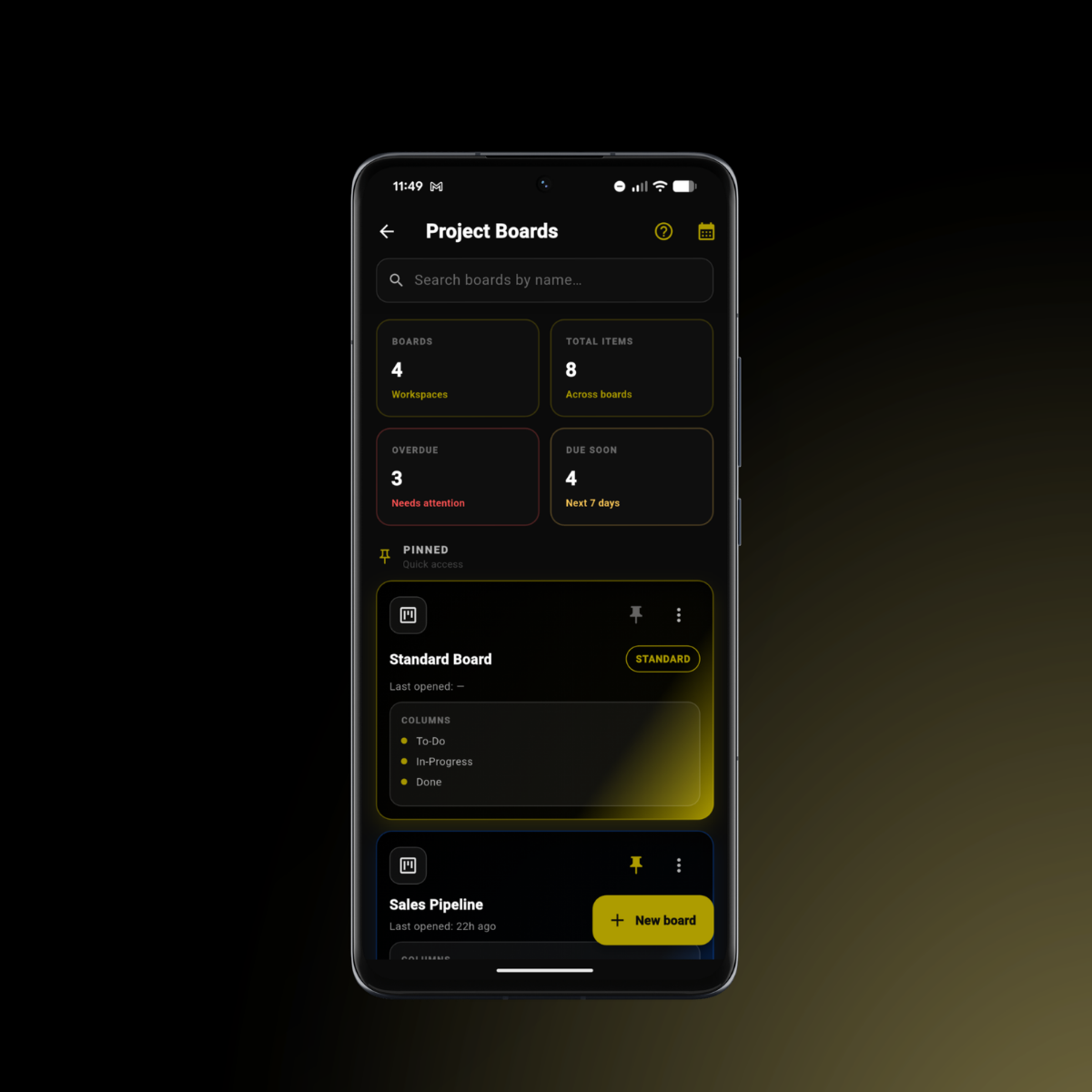
Bring your projects into one place, surface what needs attention, and spend less time chasing task updates.
How we help: Create separate boards for different projects, workstreams, or business priorities, then manage them from one central workspace.
How we help: AI summaries highlight overdue items, due-soon tasks, and the most important areas to review, helping you decide what deserves attention first.
How we help: Customise your boards with your own columns, colours, and structure so the workflow reflects how your team actually works.
How we help: Due dates, priority markers, and board-level summaries make important timing risks easier to spot before they become project delays.
How we help: AI-generated summaries give you a quick overview of progress, active concerns, and recommended focus areas without reviewing every task manually.
Create dedicated boards for different projects, campaigns, launches, applications, or internal priorities, all managed within one workspace.
Build boards around your preferred workflow with custom columns, editable labels, and personalised colour styling.
Generate concise project summaries that surface overall progress, overdue items, upcoming deadlines, and areas needing attention.
Use AI-generated recommendations to see what to focus on today, helping you move quickly from review to action.
Add task titles, notes, deadlines, subtasks, priorities, and other useful context so work stays clear and actionable.
Move tasks through your chosen workflow visually, giving you a quick view of what is waiting, active, blocked, or complete.
Set up separate project boards for each priority, then customise columns and colours to match your workflow.
Create tasks with details, deadlines, and priorities, then move them through your Kanban board as work progresses.
Use AI summaries to check overdue work, upcoming deadlines, and recommended priorities so you know exactly where to focus next.
Build flexible boards, track what matters, and use AI summaries to keep every project moving forward.
SigmaQu is your thinking space: part coach, part canvas. It will not do the work for you, but it will help you think better, plan faster, and learn the fundamentals as you go.
We built SigmaQu because planning was scattered and slow. We use these same blueprints every week to refine our own strategy, updating answers, testing ideas, and adapting as things change. That is how we want you to use it too: living plans, not one-and-done documents. Open a plan, tweak what is real today, run a quick tool for clarity, ask Sigma for perspective, and keep moving.
It's like having a consultant in your pocket: affordable, always on, and on your side.
The SigmaQu Team
Start building smarter today:
Newsletter
Get insights that make planning easier.
Educational updates, practical strategy insights, and product news in one simple email.
Useful
Practical planning insights you can actually apply.
Focused
Product updates, strategy thinking, and no filler.
Respectful
A cleaner inbox experience built for busy founders.
Join The List
Sign up for thoughtful updates from SigmaQu on planning, product, and growth.