1
Manual, time-consuming notes
How we help: Live speech-to-text lets participants focus on the discussion while the app captures the transcript.



Transform meetings into professional minutes with one tap. Start live voice transcription, then let AI produce a summary, key points, and an action plan with owners and due dates when mentioned. Instantly preview a polished PDF that includes the full transcript as an appendix.
Watch the demo. Capture the meeting, then review a clean PDF with Summary, Key Points, Action Plan, and the full transcript.
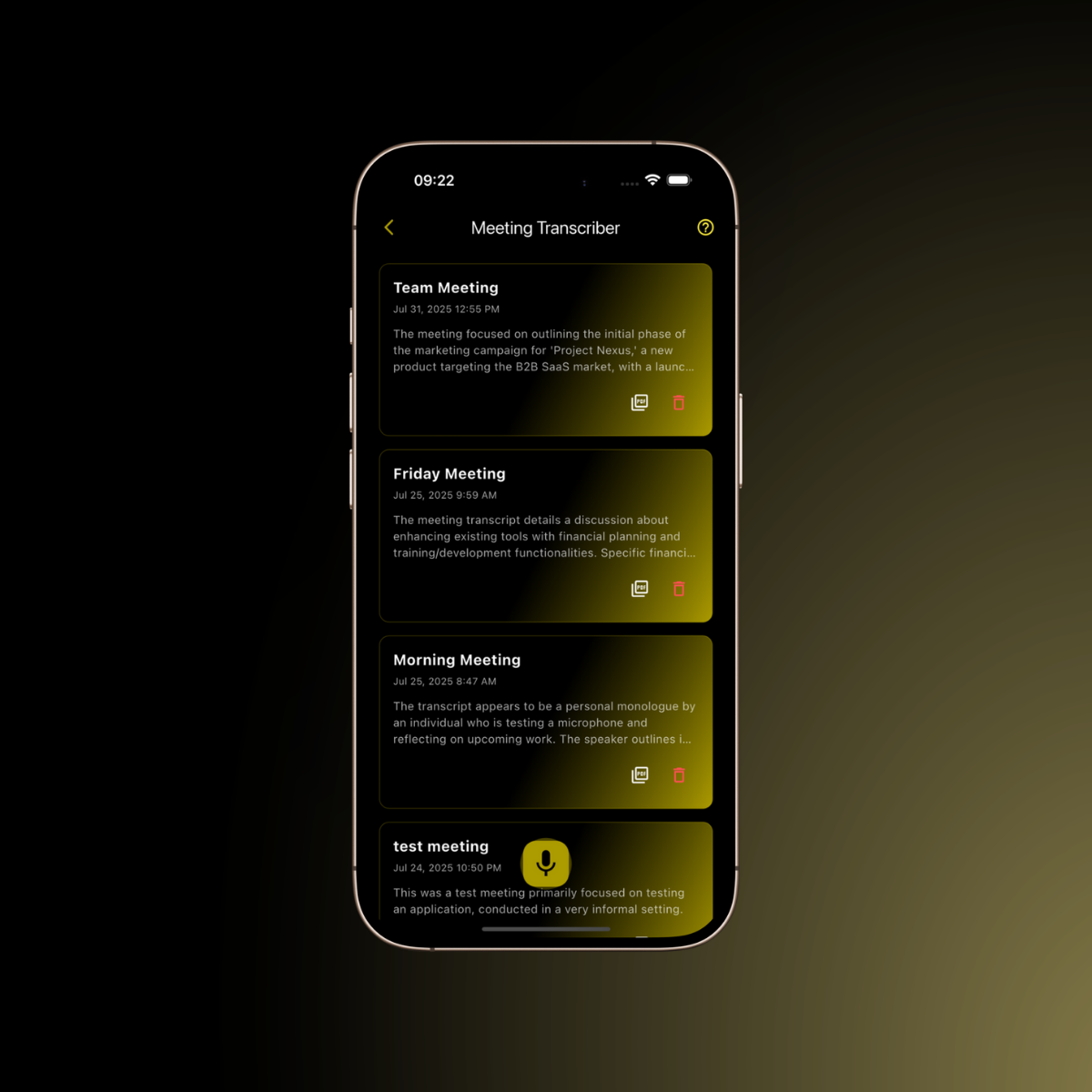
Record once. Get a clean summary, key points, and an action plan — plus a PDF.
How we help: Live speech-to-text lets participants focus on the discussion while the app captures the transcript.
How we help: The full transcript is retained as an appendix, helping reduce missed context while AI creates a consistent summary and key point structure.
How we help: AI extracts an action plan with owners and due dates when they are mentioned, helping turn discussion into accountability.
How we help: Instantly generate professional PDF minutes with summary, key points, action plan, and transcript sections ready to share or archive.
Start and stop mic capture with a pulsing record button and timer.
Prompted at the start so the output is properly attributed.
Server-side prompt generates a concise meeting summary and highlights.
Extracted tasks with owner matching from attendees and due dates when present.
Multi-page PDF with Summary, Key Points, Action Plan table, and full transcript appendix.
View previous meetings, open as PDF, or delete from your archive.
Inline flag dialog includes the exact prompt context used.
Built-in feature tour highlights recording and saved meetings UI.
Enter title and attendees, tap the mic, and speak naturally.
AI creates Summary, Key Points, and an Action Plan.
Open the PDF preview, share or store as needed.
Capture meetings and walk away with a professional PDF — every time.
SigmaQu is your thinking space: part coach, part canvas. It will not do the work for you, but it will help you think better, plan faster, and learn the fundamentals as you go.
We built SigmaQu because planning was scattered and slow. We use these same blueprints every week to refine our own strategy, updating answers, testing ideas, and adapting as things change. That is how we want you to use it too: living plans, not one-and-done documents. Open a plan, tweak what is real today, run a quick tool for clarity, ask Sigma for perspective, and keep moving.
It's like having a consultant in your pocket: affordable, always on, and on your side.
The SigmaQu Team
Start building smarter today:
Newsletter
Get insights that make planning easier.
Educational updates, practical strategy insights, and product news in one simple email.
Useful
Practical planning insights you can actually apply.
Focused
Product updates, strategy thinking, and no filler.
Respectful
A cleaner inbox experience built for busy founders.
Join The List
Sign up for thoughtful updates from SigmaQu on planning, product, and growth.